


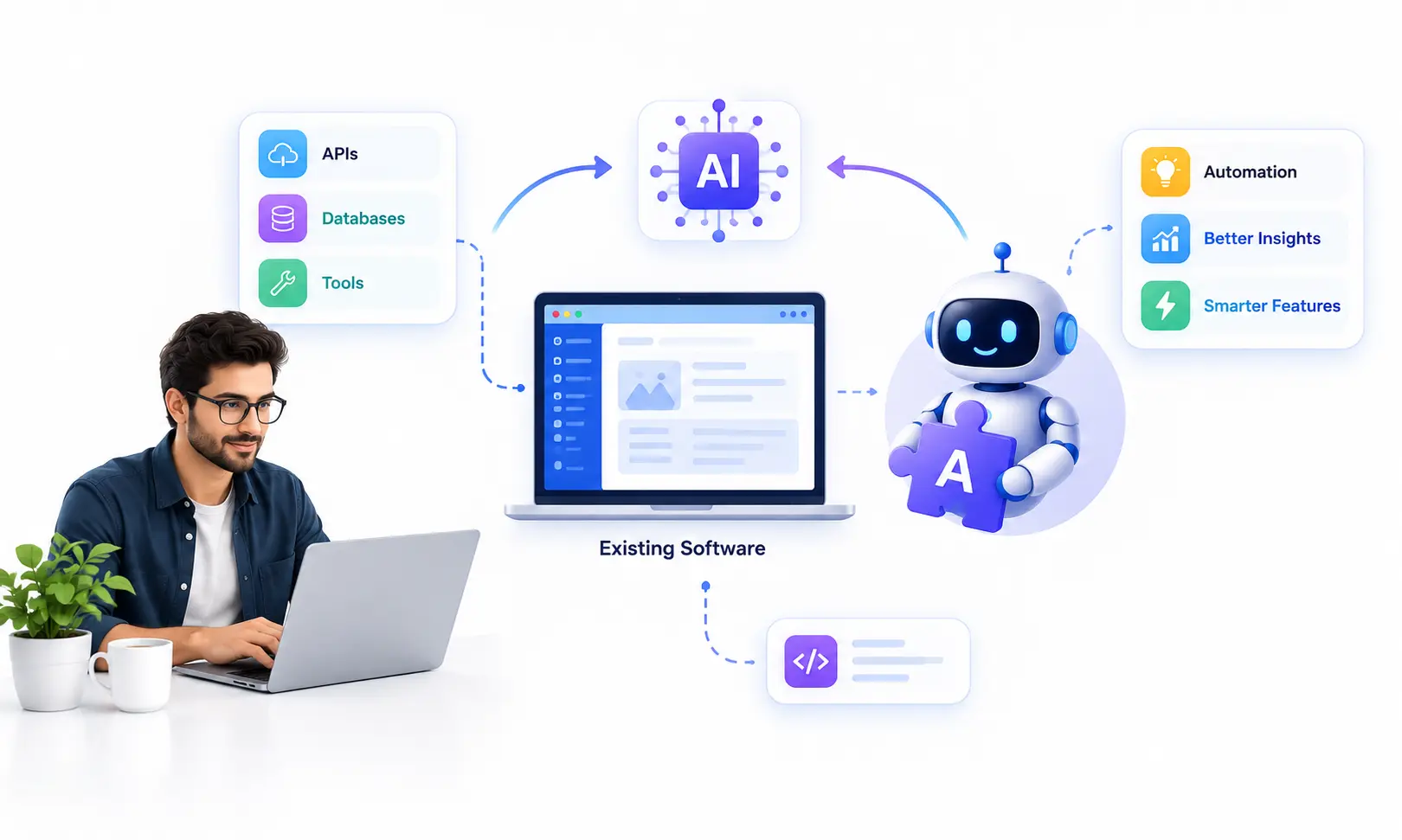
How to Integrate AI Into Existing Software in 2026
You don't always need to rebuild your software to make it AI-powered. Learn how to integrate AI into existing applications, SaaS platforms, CRMs, ERPs, and mobile apps while choosing the right architecture, controlling costs, and building a secure, scalable solution.
Gaurang Mistry
24 September 2026
Many businesses already have the software they need. They may have a CRM, ERP, SaaS platform, customer portal, mobile application, internal business system, or custom web application that works well for their existing processes. The challenge is that these systems were often designed before generative AI, large language models, retrieval-augmented generation, and AI agents became practical technologies for everyday business workflows. That does not automatically mean the software needs to be replaced. In many cases, businesses can add AI capabilities through APIs, integration layers, retrieval systems, automation workflows, or specialized AI services while keeping the core application intact. This approach can allow organizations to introduce AI where it solves a specific business problem instead of rebuilding an entire product simply to add an AI feature. SaturnCube also provides AI integration services for existing web applications, mobile apps, CRMs, ERPs, and SaaS platforms.
The important question in 2026 is therefore not simply, “How do we add AI?” A better question is, “Where can AI improve the software, workflow, or user experience we already have?” The answer depends on your existing architecture, available data, APIs, security requirements, user journeys, and the type of AI capability you actually need. A simple API-powered feature may require a very different architecture from an enterprise RAG system or an AI agent that can interact with multiple business systems. Modern enterprise AI architectures commonly combine an application interface, orchestration layer, retrieval or tools, business data, and an AI model rather than treating the language model as a standalone feature.

Can You Add AI to Existing Software Without Rebuilding It?
Yes, in many situations, AI can be integrated into an existing application without replacing the entire software product. The exact approach depends on how the application was built and what the AI feature needs to access. For example, an existing CRM could call an AI service through an API to summarize customer conversations, while a SaaS application could add an AI assistant that retrieves information from an authorized knowledge base. A mobile application could send selected user inputs to an AI service through a secure backend rather than connecting directly to a model provider. The existing application remains responsible for authentication, user experience, business rules, and core workflows, while the AI layer provides additional capabilities.
A typical architecture might look conceptually like this:
Existing Application → Secure API → AI Integration Layer → AI Model / RAG / Tools → Business Data or Systems → Validated Response → Existing Application
The integration layer is important because production AI is rarely just a single API request. It may need authentication, data transformation, permissions, rate limiting, error handling, logging, retrieval, output validation, and fallback behavior. SaturnCube's current AI service architecture specifically includes API authentication, data synchronization, middleware design, rate limiting, and error handling as part of AI integration into existing systems.
What Are the Main Ways to Integrate AI Into Existing Software?
There is no single “AI integration architecture” that works for every business. The right approach depends on whether your application needs simple AI-generated content, access to private business information, automated actions, predictions, or a combination of these capabilities.
The important distinction is that these approaches are not interchangeable. A company that only needs document summarization may not need an AI agent. A business that wants employees to ask questions about private documents may need RAG rather than a general chatbot. A workflow that requires AI to read a request, retrieve information, make a decision, and update several systems may require an agent or a more controlled orchestration architecture. Choosing the smallest architecture that solves the actual problem can reduce unnecessary complexity.
What Can AI Add to an Existing Application?
AI integration becomes much easier to plan when the business starts with a concrete feature rather than with a particular AI model. An existing application may already contain valuable customer records, documents, transactions, workflows, product information, support tickets, or operational data. AI can potentially add a new intelligence layer around that existing information. The feature might be visible to customers, such as an AI assistant inside a SaaS product, or it might operate behind the scenes, such as automatically extracting information from documents before storing structured data in an existing system.
AI in CRM Systems
A CRM can contain customer profiles, conversations, sales activities, support records, opportunities, and other business information. AI can be integrated to summarize conversations, extract structured information, assist sales teams with relevant context, classify incoming requests, or help users search internal customer information. The exact capabilities depend on the CRM's APIs, permissions, data structure, and business rules. AI should not automatically receive unrestricted access to every CRM record simply because the application can technically expose them. Access should follow the same authorization principles that apply to the underlying business system.
AI in ERP Systems
ERP systems often connect multiple operational processes, which makes integration more complex but also creates opportunities for AI-assisted workflows. Depending on the system, AI may assist with document processing, information retrieval, reporting, internal knowledge access, or workflow support. A successful ERP integration should preserve existing authorization, validation, and transaction controls. For actions that can change financial, inventory, procurement, or other important records, businesses should carefully define which actions AI can suggest and which actions require explicit human approval.
AI in SaaS Products
Adding AI to a SaaS product can create features such as intelligent search, document analysis, natural-language interfaces, recommendations, content generation, workflow assistance, or product copilots. RAG can be useful when the AI feature needs to work with customer-specific information rather than relying only on general model knowledge. In a multi-tenant SaaS environment, however, tenant isolation becomes especially important because the retrieval system must not accidentally expose information belonging to another customer.
AI in Mobile and Web Applications
AI can also be integrated into existing mobile and web applications through secure backend services. For example, a mobile app can send a request to its backend, where the backend authenticates the user, applies business rules, calls the AI service, validates the response, and returns the appropriate result. This avoids putting sensitive credentials directly inside the client application and provides a central place to enforce security and usage controls. SaturnCube already provides custom web application development and mobile app development services, including third-party API and system integrations.
How Does AI Integration Architecture Work?
A production AI feature normally involves more than an application sending a prompt directly to a language model. The architecture should determine what information the AI receives, which tools it can access, how the output is validated, and what happens when the model produces an unexpected result. For RAG systems, for example, the application may send a query to an orchestrator, which retrieves relevant information from an indexed data source and then provides that context to the model. Microsoft describes this type of architecture as an application calling an orchestrator, retrieving relevant information, and then supplying that context to the language model.
A simplified architecture can contain these layers:
User Interface
↓
Existing Application
↓
Authentication & Authorization
↓
AI Integration / Orchestration Layer
↓
Model + RAG + Tools + Business APIs
↓
Validation / Guardrails / Business Rules
↓
Existing Database or Business Systems
The exact components will vary. A straightforward AI-powered feature may only require an application backend, model API, validation and logging. A RAG application may add document ingestion, embeddings, a search or vector layer, retrieval, access controls and evaluation. An AI agent may additionally require tools, action permissions, state management, approval workflows and more extensive monitoring. Google Cloud and Microsoft both publish reference architectures showing that enterprise generative AI systems commonly involve multiple infrastructure and data components rather than a model operating independently.
Step-by-Step: How to Integrate AI Into Existing Software
A structured implementation process helps prevent businesses from jumping directly into model selection before understanding the actual problem. The following approach can work as a practical starting framework, although the exact engineering process will depend on the application and risk level.
Should You Use RAG, AI Agents, or a Simple AI API?
This is one of the most important decisions when adding AI to existing software. These technologies solve different problems. A basic API integration may be sufficient when the AI only needs to transform or generate information supplied by the application. RAG becomes more relevant when the system needs to retrieve information from private or changing knowledge sources. AI agents become relevant when the system needs to use tools or perform multi-step tasks. Microsoft's current RAG architecture guidance describes RAG as a pattern for applications that need language models to work with specific or proprietary data, while SaturnCube's AI service separates AI agents, RAG, AI integration and other AI development capabilities based on the use case.
A useful decision framework is:
Need AI to generate, summarize, classify or transform provided information?
→ Consider a direct AI API integration.
Need AI to answer questions using private company documents or knowledge?
→ Consider RAG.
Need AI to retrieve information and perform approved actions through business tools?
→ Consider an AI agent or controlled orchestration.
Need AI to automate a predictable multi-system workflow?
→ Consider workflow automation with clearly defined business rules and AI where it adds value.
Need AI deeply embedded into the product's core functionality?
→ Consider a custom AI software architecture.
For a deeper look at enterprise retrieval architectures, SaturnCube already has a dedicated guide covering RAG systems for enterprise, including architecture, data assessment, evaluation, integration and deployment considerations.
How Much Does AI Integration Cost in 2026?
No single price reliably covers AI integration into existing software because the scope can range from adding one AI-powered feature to connecting multiple enterprise systems, private data sources, and automated workflows. The cost is influenced by the existing application's architecture, the number of integrations, data complexity, security requirements, model usage, retrieval infrastructure, user volume, testing requirements, monitoring, and ongoing maintenance. Even two businesses requesting an “AI chatbot” can have completely different projects if one requires a simple public knowledge assistant while the other needs permission-aware retrieval across multiple private systems.
The biggest mistake is to estimate AI integration only from the cost of the model API. The model is one component of a larger software system. Production implementation can also involve backend development, authentication, data connectors, retrieval infrastructure, application changes, testing, monitoring and operational support. OpenAI, for example, documents API data controls and abuse-monitoring retention separately from the model itself, while enterprise architectures from Google and Microsoft show additional infrastructure around generative AI applications.
The major cost factors usually include:
For a more detailed discussion of AI project economics, SaturnCube also maintains a separate guide on AI agent development cost that explains why architecture and operational requirements can change project budgets significantly. SaturnCube AI Agent Development Cost Guide

AI Integration Security: What Businesses Need to Consider
Security should be designed into the AI integration rather than treated as a final testing step. Once an AI system can access company information or interact with business applications, the integration becomes part of the application's security boundary. Authentication determines who is using the system, while authorization determines what information and actions that user or AI component is allowed to access. Sensitive information should not be exposed to a model simply because it is technically available through an API. Data access should remain consistent with the permissions of the underlying business application.
AI-specific risks also need attention. OWASP's current GenAI security project identifies Excessive Agency as a risk when an AI system has unnecessary functionality, permissions or autonomy, while prompt injection can manipulate model behavior through malicious or untrusted instructions. Google similarly recommends treating inputs to AI systems as untrusted and applying validation and security controls before those inputs reach generative AI components.
A responsible AI integration should therefore consider:
Authentication: Who can access the AI feature?
Authorization: Which records, documents and tools can the user access?
Data isolation: Can one customer or tenant ever retrieve another customer's information?
Input validation: Can untrusted data manipulate the AI workflow?
Output validation: Can an AI-generated response trigger an unsafe application action?
Tool permissions: Which APIs and functions can an AI system call?
Human approval: Which actions require explicit review before execution?
Logging: Can important AI interactions and actions be audited?
Monitoring: Can unusual usage, failures, cost spikes or security events be detected?
NIST's Generative AI Profile also recommends managing generative AI risks throughout the AI lifecycle, making risk management and evaluation part of the overall development process rather than a one-time activity.
Common Mistakes When Adding AI to Existing Software
The biggest implementation mistakes often happen before development begins. Businesses may start by selecting the latest model or asking developers to “add ChatGPT” without first defining what the feature should accomplish. Another common problem is treating AI as a replacement for existing business logic when a more controlled integration would be safer and easier to maintain. The goal should be to introduce AI where it creates a measurable improvement while preserving the application's existing security, permissions, workflows and reliability.
Avoid these common mistakes:
These concerns are particularly important for agentic systems because increased autonomy can increase the potential impact of unexpected model behavior. OWASP's 2025 guidance specifically highlights excessive functionality, excessive permissions and excessive autonomy as common roots of excessive-agency risk.
When Should You Not Integrate AI?
AI is not automatically the right solution for every software problem. If a deterministic business rule can solve a problem reliably, adding a probabilistic AI component may introduce unnecessary complexity. Similarly, if a company does not have suitable data, does not have a clear user problem, or cannot define how the AI feature will be evaluated, development should begin with discovery rather than implementation. A strong AI strategy is therefore not about adding AI everywhere. It is about identifying the workflows where AI can provide a useful capability that conventional software alone cannot provide as effectively.
Before starting development, ask:
This discovery-first approach also aligns with the broader AI development process described in SaturnCube's current AI service offering, which includes discovery, data assessment, architecture, development, integration, testing, deployment and ongoing support.
AI Integration Use Cases Across Industries
The same integration architecture can support very different business applications depending on the industry and the underlying software. In healthcare, for example, an AI feature may assist with information retrieval or administrative workflows while access controls remain essential. In ecommerce, AI can support product discovery, customer assistance or content workflows. In SaaS, AI can become part of the product experience itself through intelligent search, copilots or workflow assistance. In finance, logistics and enterprise operations, AI can support document and information workflows, but the appropriate controls depend heavily on the specific business process and regulatory environment.
Some practical areas include:
Ecommerce: Product search, recommendations, customer support, catalog enrichment and order-related assistance.
BFSI: Document processing, knowledge retrieval, customer support and internal workflow assistance, subject to applicable controls.
Healthcare: Information retrieval, administrative assistance and workflow support, with appropriate privacy, security and domain-specific safeguards.
Education: Student support, knowledge assistants, content workflows and administrative assistance.
Logistics: Document processing, operational information retrieval and workflow automation.
SaaS: AI copilots, natural-language search, document analysis, intelligent workflows and customer-facing AI features.
The architecture should always be adapted to the actual workflow rather than selecting an AI feature simply because it is popular. SaturnCube currently lists industries including healthcare, education, logistics, SaaS, finance and ecommerce across its software development services.
How SaturnCube Approaches AI Integration
At SaturnCube, AI integration is positioned as an extension of existing software rather than an automatic reason to replace it. The current AI development offering covers integration of OpenAI, Anthropic and Google Gemini APIs, AI-powered features for existing web and mobile applications, custom middleware, data connectors, CRM and ERP integrations, synchronization, authentication, rate limiting and error handling. This allows the integration architecture to be designed around the existing application and the business workflow instead of forcing every project into the same technical pattern.
The practical process starts with understanding the existing software, business requirements and data environment. From there, the appropriate architecture can be selected, whether that means a direct model API, RAG, AI workflow, custom machine learning component, or an AI agent with controlled access to business tools. The implementation can then move through development, testing, integration, deployment and ongoing monitoring. For businesses that already have a functioning product but want to introduce AI capabilities, this approach can provide a more focused path than treating the project as an entirely new software build.
If you already have a web application, mobile application, SaaS platform, CRM, ERP or internal business system and are exploring where AI could fit, you can explore SaturnCube's AI software development services or discuss your existing architecture and requirements with the team.
AI Integration vs. Rebuilding Your Software
A complete rebuild and an AI integration project are not the same decision. If the existing application has a stable architecture, usable APIs, reliable data and a user experience that already meets business requirements, integrating AI may be a more focused engineering approach. On the other hand, if the application has severe architectural limitations, outdated dependencies, poor data access, or workflows that need to be redesigned anyway, modernization may need to happen alongside AI implementation. The correct decision should come from the application's technical condition and business requirements rather than from the assumption that every AI project requires a new platform.
In practical terms, businesses should evaluate the existing system across architecture, APIs, data, security, scalability, maintainability and user experience. If these foundations are suitable, an AI layer can often be introduced around the existing system. If several foundational components are blocking the intended AI capability, the project may need partial modernization before the AI feature can be deployed reliably. SaturnCube's broader custom software development capabilities can also be relevant when an existing product requires architectural modernization alongside new AI functionality.
Frequently Asked Questions About AI Integration
Can AI be added to existing software?
Yes. Many AI capabilities can be added to existing applications through APIs, middleware, retrieval systems, business integrations or dedicated AI services. Whether a full rebuild is necessary depends on the application's architecture, data access, security model and specific AI requirement.
Do I need to rebuild my application to add AI?
Not necessarily. A stable application with suitable APIs and data access can often be extended with an AI layer. However, applications with significant architectural or data limitations may require modernization before certain AI features can be implemented reliably.
Can AI be integrated with a CRM or ERP?
Yes. AI can be connected to CRM and ERP systems through available APIs, middleware and data connectors. The integration should preserve existing authentication, authorization, business rules and transaction controls. SaturnCube specifically lists CRM and ERP integration as part of its current AI integration offering.
What is the difference between RAG and an AI agent?
RAG primarily helps an AI application retrieve relevant information from specific data sources and use that information when generating a response. An AI agent can additionally use tools or functions to perform tasks and interact with other systems. Some applications combine both approaches, such as an agent that uses RAG to retrieve company information before taking an authorized action.
How much does AI integration cost?
There is no universal price. Cost depends on the existing application's architecture, AI capability, data requirements, number of integrations, security requirements, expected usage, testing and ongoing infrastructure. A simple AI feature and a multi-system enterprise AI platform can represent very different projects.
Is it safe to connect company data to an AI system?
Security depends on the architecture, AI provider, data controls, application permissions and implementation. Businesses should evaluate data handling, access controls, retention, encryption, logging, isolation and applicable regulatory requirements before connecting sensitive information. For example, OpenAI documents API data controls separately from model functionality, while NIST provides a risk-management framework for generative AI.
Should every business use an AI agent?
No. An AI agent is appropriate when the business problem actually requires multi-step reasoning, tool use or controlled actions. Simpler applications may be better served by a direct AI API, RAG system or conventional automation. Giving an AI system unnecessary permissions or autonomy can also increase security risk.
How long does AI integration take?
The timeline depends on the scope. A small AI feature with a straightforward API integration is very different from a RAG system connected to multiple enterprise data sources or an AI agent interacting with several business applications. Requirements, architecture and integration complexity should be assessed before giving a project-specific timeline.
Final Thoughts
Integrating AI into existing software in 2026 is less about replacing everything with AI and more about adding the right intelligence to software that already supports the business. A CRM may need an AI assistant, a SaaS product may need intelligent search, an enterprise knowledge system may require RAG, or an operational workflow may benefit from an AI agent with carefully controlled tool access. Each use case requires a different architecture, and the strongest implementations begin with the business problem, data, permissions and desired outcome rather than starting with a model.
The technical side is only one part of successful AI integration. Production systems also need security, evaluation, monitoring, error handling, cost controls and a clear approach to human oversight where AI can influence important decisions or actions. NIST's Generative AI Profile emphasizes lifecycle risk management, while current cloud architecture guidance from Google and Microsoft demonstrates the importance of retrieval, orchestration, security and evaluation around enterprise AI applications.
For businesses that already have software but want to introduce AI, the most useful starting point is usually a technical and business assessment: understand the existing system, identify high-value use cases, determine what data AI needs, select the simplest architecture that can solve the problem, and validate it before expanding into production. If you are considering AI integration into existing software, SaturnCube can assess your current application and help determine whether the right approach is an AI API, RAG system, workflow automation, AI agent, or a broader custom AI solution. Talk to SaturnCube About AI Integration