


AI Agent vs Workflow Automation: Which Is Right for Your Business?
Learn how AI agents and workflow automation differ, where each approach works best, and how to choose the right solution for your business processes.
Gaurang Mistry
19 October 2026
AI agents and workflow automation serve different business needs: workflow automation is best for repetitive, rule-based tasks, while AI agents are better suited to tasks that require interpreting information, making context-aware decisions, and adapting to changing situations. For example, workflow automation can automatically update CRM records, send notifications, and manage approval sequences, whereas an AI agent can analyze customer enquiries, retrieve relevant information, and recommend the next action. Many businesses benefit from combining both approaches, using AI agents for decision-making and workflows for predictable actions, validations, and approvals. The right choice depends on your business process, complexity, reliability requirements, and level of human oversight.
Understanding the difference between AI agents and workflow automation matters before investing in a new system. Some processes work best with straightforward rules, while others benefit from context-aware decision-making. In certain situations, combining both approaches can deliver a more practical result than using either one independently. This guide explains how they work, compares their strengths and limitations, and helps you identify the right approach for your business needs.

What Is Workflow Automation?
Workflow automation uses predefined rules, triggers, and actions to complete tasks with minimal manual intervention. A workflow typically follows a structured sequence: when a specific event occurs, the system performs an action or moves information to the next step. For example, a business can automatically send a confirmation email after receiving a form submission, create a CRM record when a lead arrives, or notify a manager when an approval is required. Once the workflow has been configured and tested, it can repeat the same process whenever the defined conditions are met.
Traditional workflow automation is particularly useful when a process is predictable and its rules can be clearly documented. Businesses can use automation platforms to connect applications, synchronize information, schedule activities, and reduce manual data entry. Microsoft's Power Automate documentation describes different flow types for automating actions across cloud services and desktop applications. The main advantage is control: developers and process owners can define the conditions under which an action should occur and test whether the workflow behaves as expected.
However, rule-based automation has limitations when a task involves information that does not follow a consistent pattern. Consider an incoming customer email. A basic workflow can route every message containing a particular word to a designated team, but it may struggle when the same request is expressed in different ways or requires understanding previous interactions. Developers can add more conditions and exceptions, but a growing collection of rules can become difficult to maintain. This doesn't make workflow automation ineffective; it means you should evaluate the process before deciding whether additional rules or an AI-based component is more appropriate.
What Is an AI Agent?
An AI agent is a software system designed to pursue a defined goal by interpreting information, selecting suitable actions, and using available tools to complete a task. Depending on its design, an agent may retrieve information from business systems, analyze a request, decide which tool to use, and determine what step should follow. Unlike a simple automation that follows the same fixed sequence every time, an AI agent can adjust its approach when the available information or circumstances change. Its capabilities still depend on the model, tools, permissions, instructions, and safeguards provided during development.
For example, an AI agent supporting a sales team could review an incoming enquiry, identify the customer's requirements, retrieve relevant product information, and prepare a response or recommend a follow-up action. If information is missing, it could request clarification instead of proceeding with an unsupported assumption. The agent may also interact with a CRM or another business application when the required integrations and permissions are available. These capabilities make AI agents for business useful for processes that involve varied inputs, multiple steps, and decisions that cannot be fully described through a small set of fixed rules.
AI agents also require careful planning. An agent can misunderstand a request, retrieve incomplete information, or select an unsuitable action if its instructions and tools are poorly designed. Businesses should therefore define clear boundaries, restrict access to sensitive systems, validate important outputs, and require human approval for consequential actions where appropriate. If you want to understand the development process in more detail, SaturnCube's guide on how to build AI agents from scratch explains the key considerations involved in building an AI agent system.
AI Agent vs Workflow Automation: Key Differences
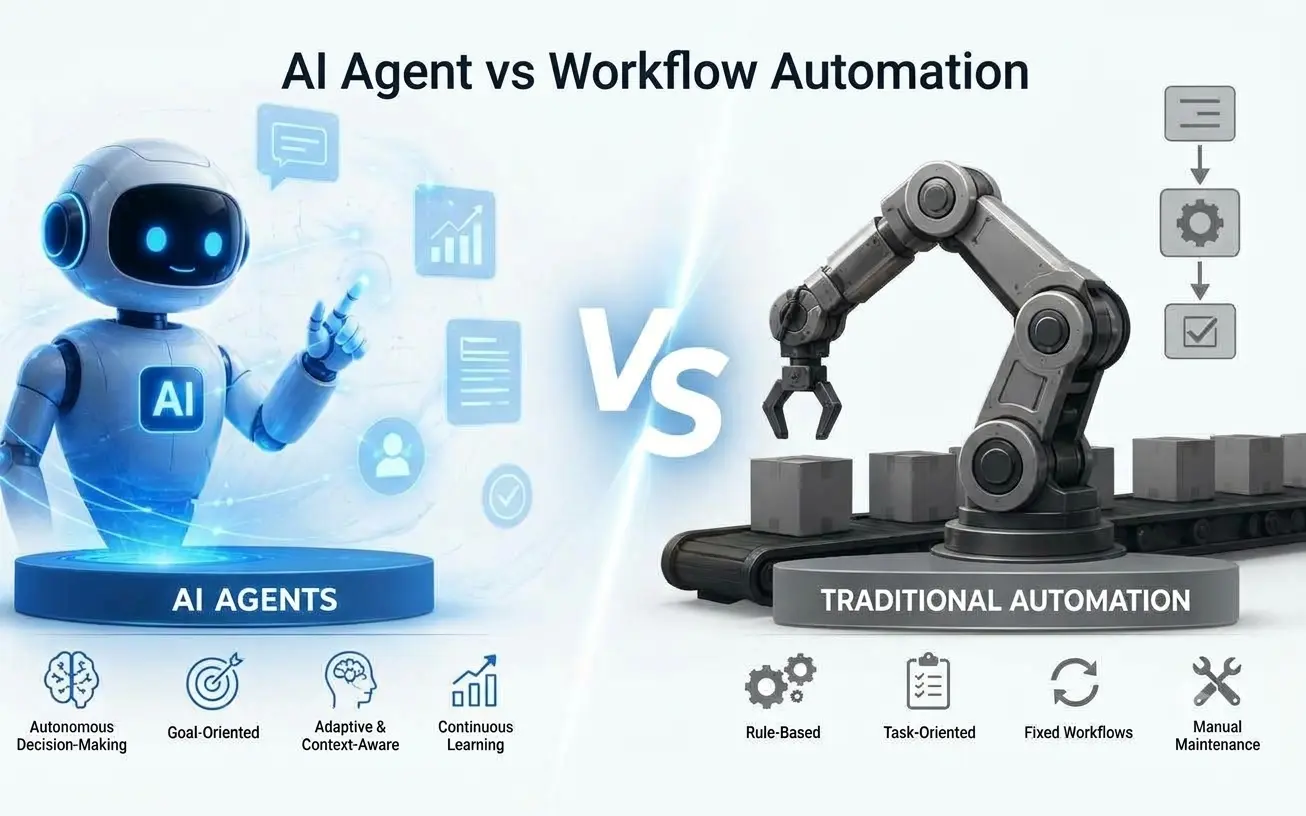
Although both approaches can reduce manual effort, they differ in how they interpret tasks, choose actions, and handle exceptions. Workflow automation is generally designed around predetermined rules, whereas an AI agent can use contextual information to decide how to approach a goal. The right choice depends on the nature of the process, the consequences of an incorrect action, and how much flexibility the task requires.
Comparison factor | Workflow automation | AI agent |
|---|---|---|
Decision-making | Follows predefined conditions and rules | Uses context and its configured reasoning capabilities to select actions |
Process structure | Usually follows a defined sequence | Can adjust its steps within the boundaries of its design |
Input handling | Best with structured, predictable inputs | Can interpret varied or less-structured information |
Exception handling | Uses configured branches and fallback rules | May interpret exceptions and select an alternative action |
Predictability | Easier to test when rules and inputs are stable | Requires evaluation across different scenarios and edge cases |
System access | Executes configured integrations and actions | Uses permitted tools and integrations to retrieve information or take actions |
Human oversight | Often needed for exceptions and sensitive approvals | Should be designed around risk, permissions, and appropriate approval points |
Maintenance | Rules and integrations need updates as processes change | Instructions, models, tools, evaluations, and integrations may need updates |
Suitable tasks | Repetitive, rule-based operations | Context-dependent, multi-step tasks requiring flexible decisions |
This comparison is a practical guide rather than an absolute distinction. AI agents can operate inside predefined workflows, and conventional automation can include AI-powered steps for tasks such as classifying a message or extracting information from a document. OpenAI's business guide to working with agents explains how workflows, AI-powered steps, and agents can play different roles within the same business process.

When Should a Business Choose Workflow Automation?
Workflow automation is usually the sensible starting point when the process is stable, the required actions are known, and the same conditions lead to the same outcomes. There is little benefit in introducing autonomous decision-making when a straightforward rule can complete the task reliably. A well-designed workflow is also easier to inspect because its triggers, conditions, and actions can be documented and tested against expected results.
Common examples include transferring form submissions into a CRM, sending order confirmations, generating scheduled reports, routing support tickets according to fixed categories, and notifying a manager when a request needs approval. These processes may involve several connected applications, but their steps can still be defined in advance. Businesses can use workflow automation tools or custom integrations depending on the complexity of the systems involved.
Workflow automation is particularly appropriate when consistency and traceability matter more than flexibility. For instance, an invoice approval process may require a specific sequence of checks, authorization levels, and recorded decisions. Automating that sequence can reduce repetitive administration without giving an AI system unnecessary authority over financial decisions. If a process occasionally encounters exceptions, those cases can be routed to a human rather than making the entire system more complex.
When Should a Business Choose an AI Agent?
An AI agent becomes worth considering when a task requires interpreting varied information, making context-dependent decisions, or selecting among several possible actions. Instead of defining every possible path in advance, the business specifies the goal, available information, permitted tools, and boundaries within which the agent can operate. The agent then determines an appropriate approach based on the situation. This flexibility can be useful when the inputs vary significantly but the desired outcome remains clear.
Consider a customer support team receiving enquiries through email or a website. Customers may describe the same problem using different words, refer to previous conversations, or provide incomplete details. An AI agent could interpret the enquiry, retrieve relevant information from approved knowledge sources, and prepare an answer based on the available evidence. If the request involves a sensitive account change or an issue outside its permitted scope, it can escalate the conversation to a human team member.
AI agents can also support internal research, document analysis, lead qualification, and multi-step information retrieval. However, these applications should be designed around measurable requirements rather than assumptions about what AI can do. Businesses need to test accuracy, response quality, failure handling, security, and the effort required for human review. For organizations evaluating a custom implementation, SaturnCube's AI software development services cover AI agents, AI integrations, and other custom AI applications that can be assessed against specific business requirements.
Real Business Examples: Which Approach Fits?
The most useful way to compare AI agent vs workflow automation is to examine the actual task instead of choosing a technology based on its name. The following examples illustrate how the decision can change depending on the inputs, rules, and consequences involved.
1. Lead Management and CRM Updates
A workflow is often sufficient when every website enquiry follows the same process: create a CRM record, assign the lead to a sales representative, and send a confirmation email. The trigger and subsequent actions are predictable, so a conventional automation can handle them without requiring an AI agent. This also makes the process easier to test and troubleshoot when an integration fails.
An AI agent may add value when enquiries arrive in different formats and the business needs to interpret the prospect's requirements before deciding what should happen next. It could summarize the request, identify the service being discussed, retrieve relevant information, and recommend a suitable team or follow-up. A workflow could then validate the required fields, create the CRM record, and route the enquiry according to approved rules. This combination allows the AI to interpret information while the workflow handles predictable actions.
2. Customer Support and Service Enquiries
A conventional workflow can answer predefined questions, send order-status notifications, and route tickets based on clear conditions. It works well when customers follow a known process and the required response can be determined from structured information. For more varied enquiries, an AI agent can interpret the question, search an approved knowledge base, and prepare a response that reflects the customer's specific situation.
The distinction matters when the system encounters an issue it cannot resolve confidently. A well-designed AI agent should be able to request clarification or escalate the conversation instead of inventing an answer. Workflows can manage the handoff, assign the case, and record its status. If you are exploring how AI can support customer interactions beyond predefined replies, SaturnCube's article on AI agents and their role in workplace chat provides a related starting point.
3. Invoice and Document Processing
A workflow can process invoices when the format, required fields, and validation rules are consistent. It can move a document through the approval chain, notify the relevant person, and record whether the required steps have been completed. For standard documents, this approach can be easier to control than allowing an autonomous system to decide how every case should be handled.
An AI-powered component may be useful when invoices arrive in different layouts or when supporting documents contain information that must be interpreted. The system could extract candidate fields, identify missing details, or flag inconsistencies for review. A workflow can then validate the extracted information, enforce approval thresholds, and prevent payment-related actions until the required checks are complete. For financial processes, AI-generated interpretations should not replace necessary verification and authorization.
Can AI Agents and Workflow Automation Work Together?
Yes. In many business applications, the most practical solution is not AI agents versus workflow automation but a combination of both. The workflow provides a controlled structure for triggers, validations, approvals, notifications, and record updates, while an AI agent handles the parts that require interpretation or flexible decisions. This approach avoids introducing an autonomous agent into every step when only one part of the process actually needs AI.
Imagine a business receiving a project enquiry through its website. A workflow first validates the submission and stores the required information. An AI agent then interprets the project description, identifies the likely service requirements, and prepares a summary for the sales team. The workflow can route that summary to the appropriate team, create a follow-up task, and wait for a human decision before any commitment is made to the prospect.
The same pattern can be used in customer support, internal knowledge retrieval, document handling, and other multi-step processes. The important design decision is to separate tasks that require contextual interpretation from actions that should follow fixed and verifiable rules. Teams should also define what happens when the agent cannot complete a task, an integration becomes unavailable, or a human reviewer rejects its recommendation. Clear fallback paths help make the combined system easier to operate and maintain.

How to Choose the Right Approach for Your Business
Before investing in AI automation solutions, begin with the business process rather than the technology. Identify the task that consumes time, understand how employees complete it today, and document the inputs, decisions, exceptions, and expected outcomes. A process that looks complicated from the outside may still be suitable for conventional automation if its rules are stable. Conversely, a seemingly simple task may require AI if it involves interpreting a wide range of customer requests or unstructured documents.
Use the following checklist to evaluate a potential automation project:
Once the approach is selected, define how success will be measured. Useful measures may include task completion rate, processing time, error frequency, escalation rate, human review effort, and the cost of maintaining the system. Establish a baseline before implementation so the business can compare results against its current process. A pilot using representative examples and realistic edge cases can help identify limitations before the system is introduced into a larger operation.
Security and governance should be part of the design from the beginning. Give each component only the access it needs, protect sensitive information, log important actions, and define which decisions require human authorization. For AI agents, test how the system behaves when information is missing, instructions conflict, or an external tool fails. For workflows, test unexpected inputs, failed integrations, duplicate events, and recovery procedures. The objective is not to automate every step, but to build a process that is useful, controllable, and reliable for its intended purpose.
Common Mistakes to Avoid
One common mistake is choosing an AI agent simply because it appears more advanced than traditional automation. If the process consists of predictable steps, an agent may introduce additional complexity without solving a meaningful problem. The opposite mistake is trying to manage every exception through an expanding collection of rules when the underlying task genuinely requires contextual interpretation. Reviewing the process and its failure cases helps determine where additional intelligence is useful.
Another mistake is giving an AI agent unrestricted access to business applications before its behavior has been properly evaluated. Access permissions, data protection, monitoring, approval requirements, and recovery procedures should be planned alongside the agent's capabilities. Businesses should also avoid relying on a successful demonstration as proof that the system is production-ready. Testing with realistic data and edge cases is necessary to understand whether the solution meets operational requirements.
Finally, organizations sometimes focus on reducing manual effort without measuring the quality of the resulting work. An automated process that completes tasks quickly but creates incorrect records or requires extensive correction may not deliver the expected value. Establish measurable goals, monitor outcomes after deployment, and review the process as business requirements change. These practices apply to both AI agent development and traditional workflow automation.
Frequently Asked Questions
Are AI agents better than workflow automation?
Neither approach is universally better. Workflow automation is often preferable for predictable, rule-based tasks, while AI agents can help with tasks requiring contextual interpretation and flexible decision-making. The right choice depends on the process, risk level, data availability, and the level of control the business requires.
Can AI agents replace traditional automation tools?
AI agents can handle some tasks that previously required complex rules, but they do not make traditional automation unnecessary. Predictable actions such as sending notifications, enforcing approval sequences, and updating records often remain well suited to workflows. Many business systems benefit from combining the two approaches.
Is workflow automation more reliable than AI agents?
For a stable process with clearly defined inputs and rules, a conventional workflow can be easier to predict and test. AI agents introduce more variability because their outputs and selected actions depend on context, model behavior, and system configuration. Reliability should be evaluated against the specific task rather than assumed from the technology alone.
Can a small business use AI agents?
Yes, provided the use case, data access, integrations, and ongoing maintenance requirements are appropriate for the business. A small organization might begin with a limited task such as classifying enquiries or retrieving information from approved documents. Starting with a narrow scope makes it easier to measure usefulness and identify risks before expanding the implementation.
What should a business automate first?
Start with a repetitive process that consumes measurable effort and has clear expected outcomes. Document its current steps, common exceptions, and the consequences of mistakes. If the process is predictable, workflow automation may be enough. If it requires interpreting varied information, evaluate whether an AI component or agent can address that specific need.
How much does AI agent development cost compared with workflow automation?
There is no single cost that applies to every project. The effort depends on process complexity, integrations, data preparation, security requirements, testing, monitoring, and ongoing support. A straightforward workflow may require less custom development than an AI agent that uses multiple tools and handles uncertain inputs. Businesses should compare the full implementation and maintenance requirements of the options rather than considering the initial build alone.
Conclusion
Choosing between an AI agent vs workflow automation starts with understanding the work you want to improve. Workflow automation is a strong fit for repetitive processes with clear rules, while AI agents can help when tasks involve varied information, contextual decisions, and multiple possible actions. Neither approach should be selected simply because it is newer or more sophisticated; the right solution is the one that addresses the actual business problem with an appropriate level of control.
For many organizations, a combination of AI and conventional automation offers a practical path forward. Workflows can manage predictable actions and approvals while AI agents interpret information and support decisions within defined boundaries. If your business is evaluating an automation project, SaturnCube's AI software development team can help assess the requirements, explore suitable technical approaches, and plan a solution around your existing systems and business goals.