


WORLD CLOCK
World Clock - Time Zone Converter
World Clock is a Flutter-built mobile app that lets you compare time across multiple cities simultaneously without manually calculating time zone differences. Scroll the interactive timeline with one finger and every city on screen updates together in real time. See 3 pm in Ahmedabad, New York, and Tokyo at the same moment. No adding hours, no subtracting, no converting. Just scroll until you find a time that works for everyone.
Designed for remote teams coordinating cross-timezone meetings, travellers planning international schedules, and anyone who regularly works across multiple time zones World Clock removes the friction from the one question that slows down global collaboration: "What time is it there right now?"
Products Available
To Download & Use
Avg. User Rating
Comparing Time Zones Still Requires Mental Arithmetic
Most people still calculate time zone differences by hand "They are 5.5 hours ahead, so if it's 11am here it's 4:30pm there." Then someone changes their clocks for daylight saving, the team has a new member in a third time zone, and the calculation becomes a source of daily frustration and scheduling errors.
The native clock apps on iOS and Android show you the current time in multiple cities but they cannot help you plan ahead. You cannot easily see what time a future moment will be across three cities simultaneously. You end up switching between calculator, calendar, and clock app just to schedule a single meeting.
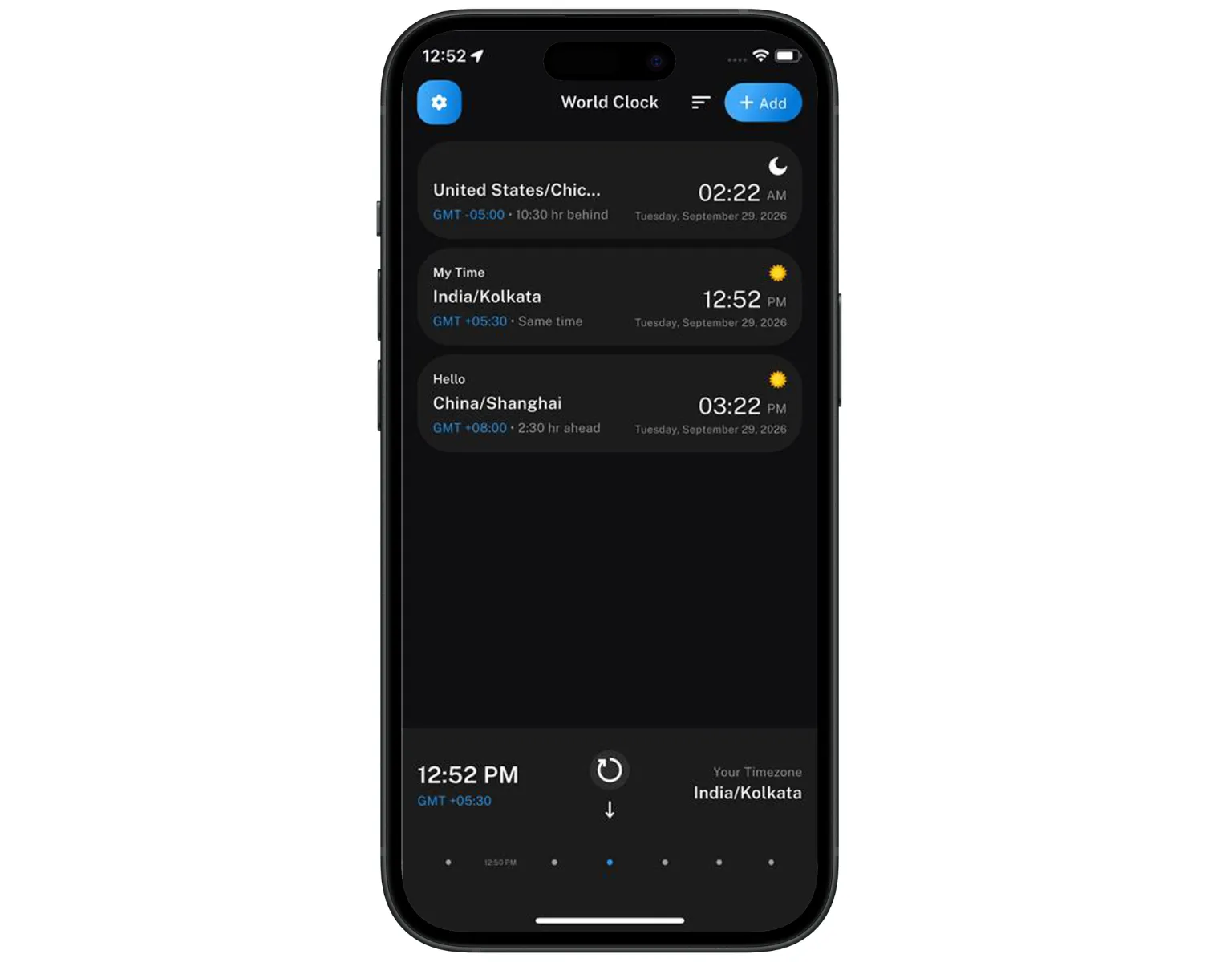
World Clock solves this with one interaction: a scrollable timeline where every city you have added moves together. Drag it forward to see what 9am New York looks like in London and Singapore at the same moment. No arithmetic. No switching apps. No errors.
KEY FEATURES
Everything you need to compare time zones instantly — in one scrollable view.
One finger scrolls the timeline and every city on screen updates simultaneously. Drag forward or back to see how any future or past time maps across all your added cities at once - replacing manual time zone arithmetic with a single visual interaction.
Add as many cities as you need and see their current local times on one screen, updating in real time. No switching between tabs, no separate lookups - every location visible at a glance.
Scroll the timeline to a specific time in your home city and immediately see whether that moment falls within working hours for every other location on your list - finding meeting overlap windows in seconds.
Built on Flutter for the same experience on iOS and Android.
See at a glance which cities are currently in daytime and which are overnight, so you never accidentally schedule a call at 3am for a team member in another country.
No account required, no subscription, no in-app purchases, no ads. Download World Clock from the App Store or Google Play and start comparing time zones immediately - no setup, no signup.
Daylight Saving Time changes are applied automatically across all added cities. When any country adjusts its clocks, World Clock updates without any manual correction - so your comparisons are always accurate.
Built in Flutter by the Saturncube Technologies team, World Clock delivers a consistent, smooth, native-level experience on both iOS and Android from a single codebase.
Time zone data is stored locally - no internet connection required to compare times or scroll the timeline. The app works anywhere, including mid-flight.
WHO IS THIS FOR
World Clock is designed for anyone who regularly works, travels, or communicates across multiple time zones and needs a faster way to find a time that works for everyone.
Teams spread across multiple countries use World Clock to find overlap windows for standups, client calls, and project reviews - without the back-and-forth of "what time works for you in your timezone?"
Frequent travellers add their home city and destinations to track local times at each stop - particularly useful when a single trip crosses three or more time zones and every layover needs to be mentally converted.
Independent professionals working with clients across the US, Europe, and Asia use World Clock to coordinate deliveries, calls, and deadlines without converting every scheduled time manually.
Track the opening hours of the New York, London, Tokyo, and Hong Kong markets simultaneously - knowing exactly when each opens relative to your local time without daily conversion arithmetic.
Students attending online classes or collaborating with classmates in other countries stay on top of scheduled sessions and assignment deadlines across time zones without guesswork.
Know immediately whether it is an appropriate hour to call a family member or friend in another country - without working out the time difference in your head every time.
HOW IT WORKS
From setup to scheduling — the entire process is simple, fast, and completely visual.
Download World Clock free from the App Store or Google Play. No account creation, no permissions, no onboarding screens. Open the app and you are looking at the timeline immediately.
Search for any city by name and add it to your timeline. Add as many locations as you need - your home city, your team's locations, client cities, or travel destinations - in any order.
All added cities display their current local time in real time. The timeline shows exactly where each city sits relative to the others right now and updates continuously as time passes.
Drag the timeline forward or back with one finger. Every city on screen moves together - so you instantly see what any future or past time looks like for every location simultaneously, with no arithmetic required.
Scroll until you find a moment where all relevant cities are within their working or waking hours. The day/night indicators show you at a glance who is available and who is asleep - so scheduling decisions take seconds, not minutes.
When any country adjusts its clocks for Daylight Saving Time, World Clock updates automatically. Every comparison you make is always accurate - no manual adjustment, no remembered exceptions.
PLATFORM PREVIEW
A quick look at the World Clock app - the scrollable timeline, multi-city view, and day/night indicators working together on iOS and Android.
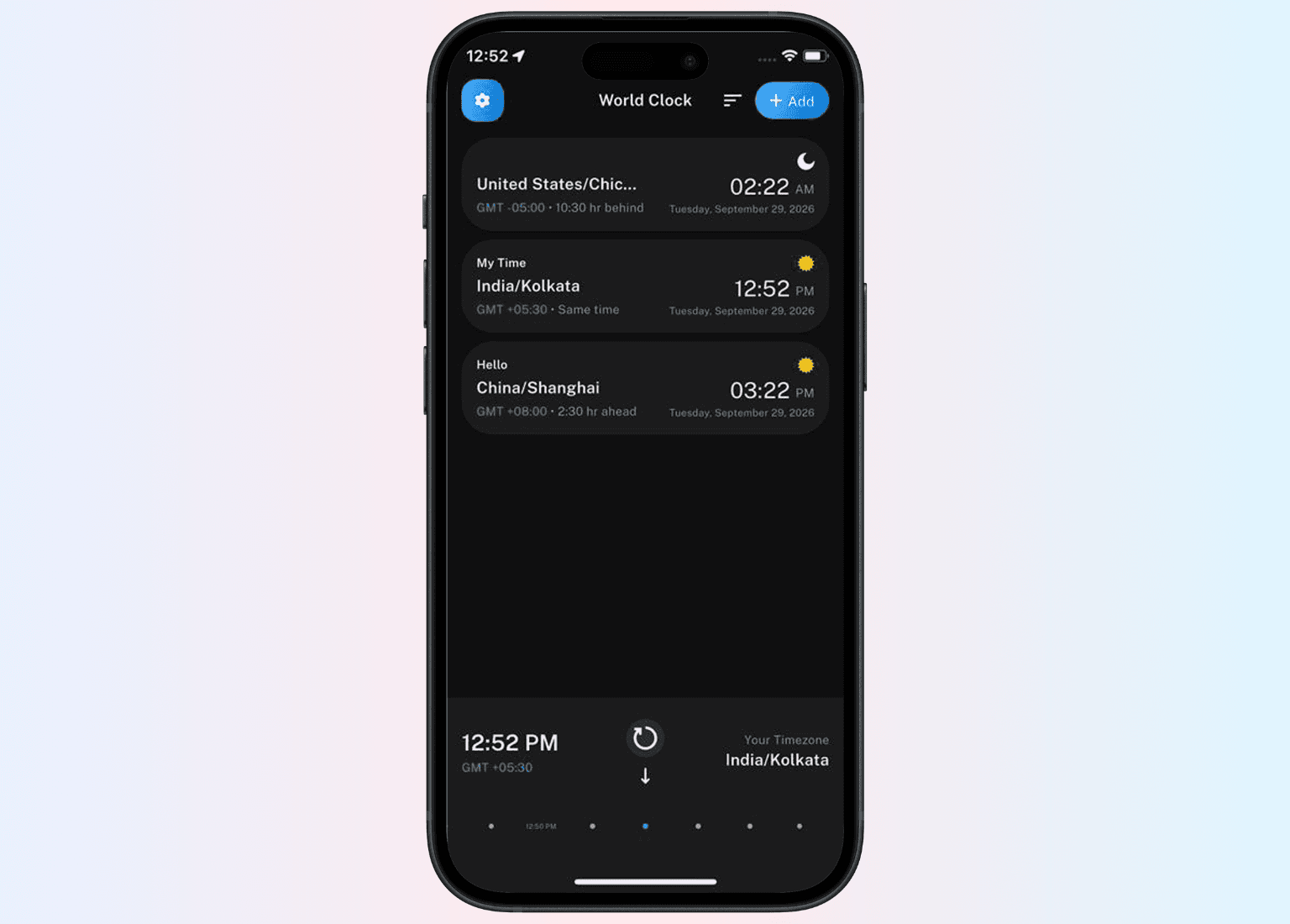
See current local times for all your added cities on one screen.
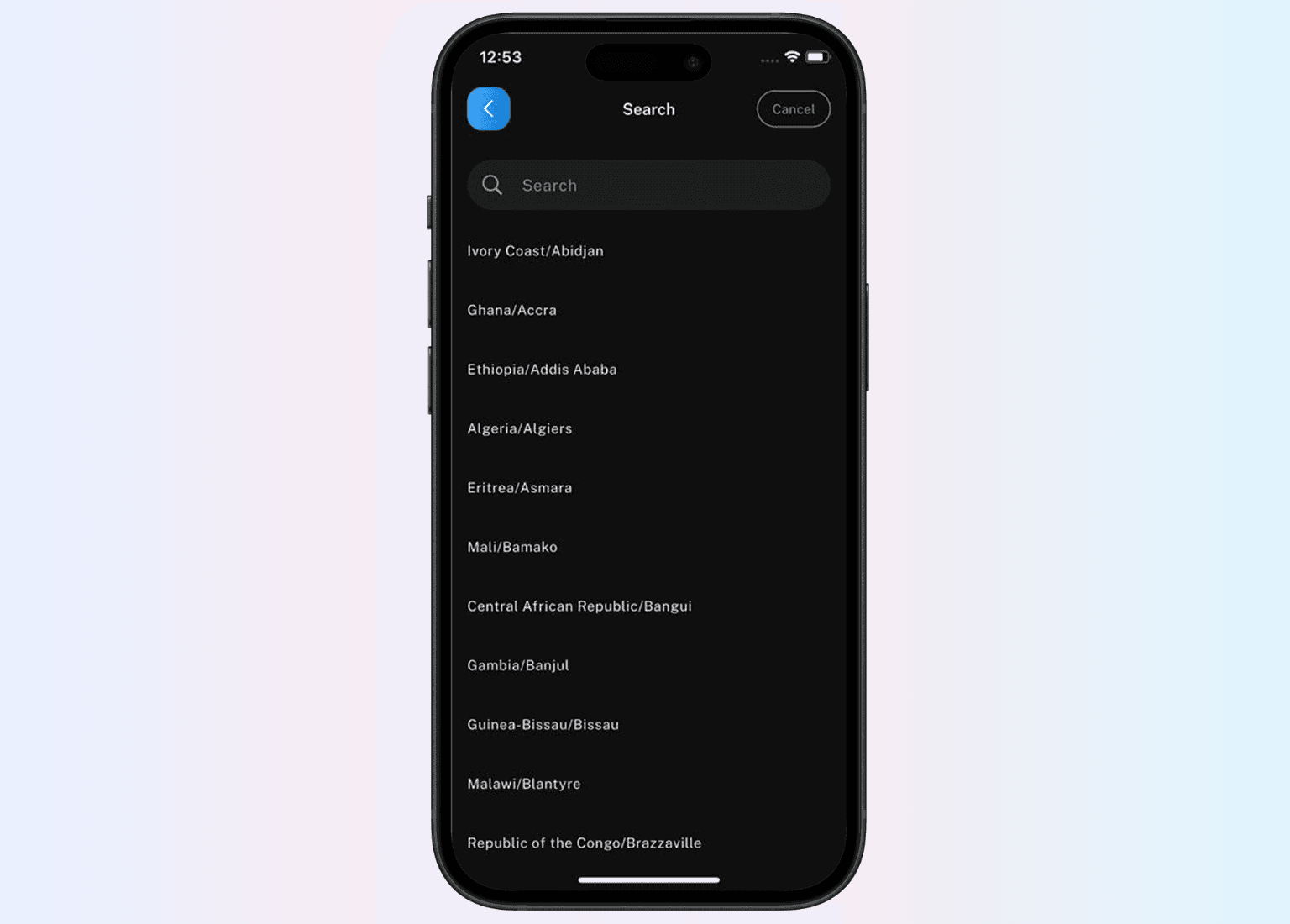
One finger moves the timeline - every city updates simultaneously.
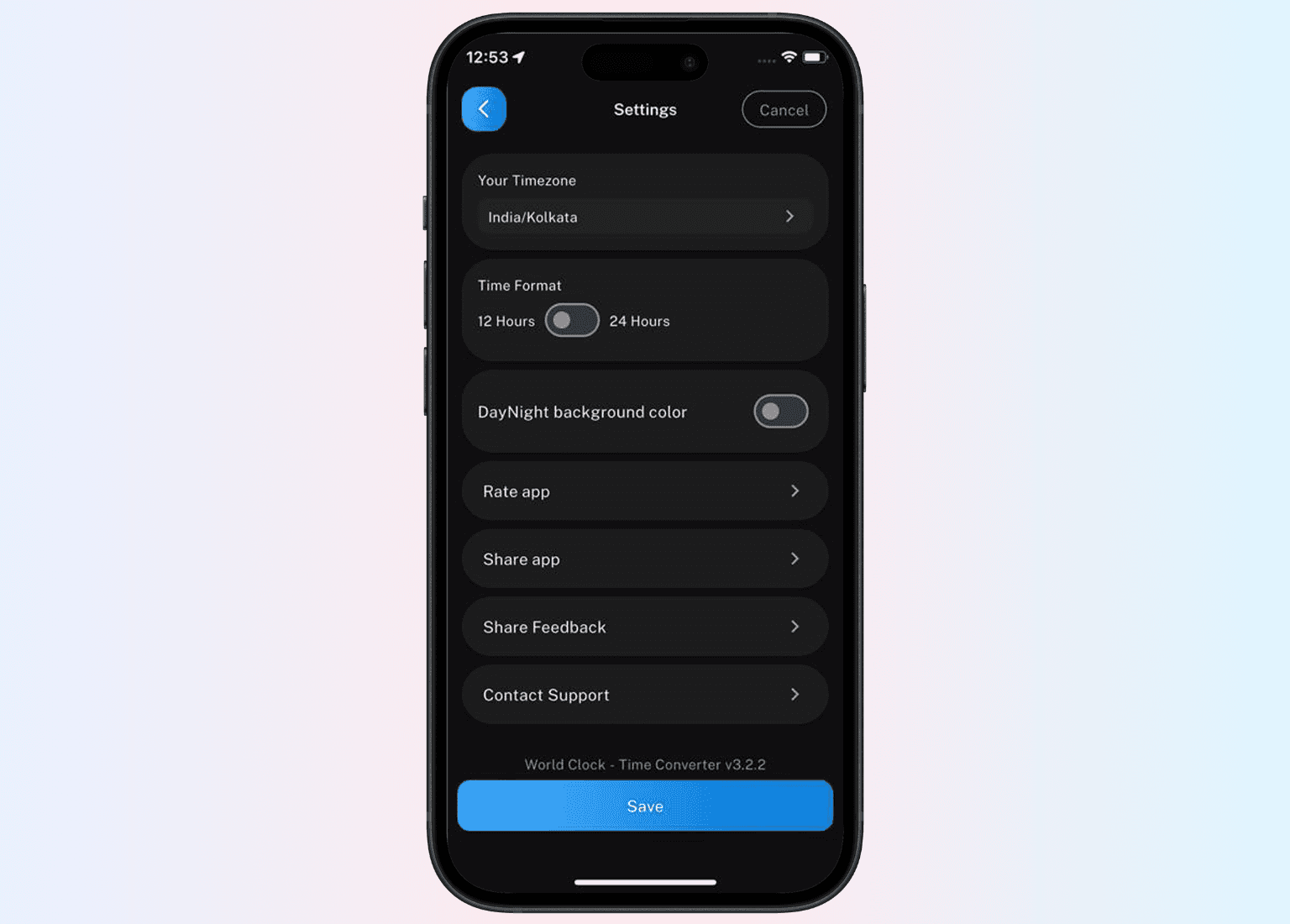
Visual indicators show which cities are in daytime and which are overnight.
BENEFITS
World Clock replaces five minutes of mental arithmetic with one swipe - every time you need to coordinate across time zones.
01
Stop adding and subtracting hours in your head. Scroll the timeline and every city updates together - the answer is visual and instant rather than calculated and approximate.
02
Drag the timeline forward from your current time until you find a moment where every city on your list is within working hours. What used to take a spreadsheet takes one swipe.
03
Daylight Saving Time is applied automatically. When any country adjusts its clocks, World Clock updates without manual correction - so your time comparisons are never wrong because of a missed DST change.
04
Download and use immediately. No account creation, no login, no personal data required. A single-purpose tool that does one thing and does it instantly.
05
Time zone data is stored locally. The app works mid-flight, in low-signal areas, and anywhere without internet — reliable wherever you are in the world.
06
No subscription, no in-app purchases, no advertising. World Clock is completely free to download and use on both iOS and Android - with no degraded experience behind a paywall.
FAQ
World Clock is a free Flutter-based mobile app built by Saturncube Technologies that lets you compare time zones across multiple cities simultaneously. A scrollable timeline updates every added city together - so you can see what any time looks like across all your locations without doing any manual calculation.
GET STARTED
Set up World Clock in under a minute. Add your cities, scroll the timeline, and see every time zone update together - no arithmetic, no errors, no switching apps.
Receive updates, insights, and useful tech information directly in your email.